Http Vs Https

Hi everyone, I am Anusha Nayak. 🚀I am passionate about bridging the realms of development and operations to propel efficient and seamless software delivery! 💻 As a DevOps professional, I'm all about making things run smoother, like cutting out unnecessary steps, setting up automatic software installations, and making sure everything flows together nicely👨💻. I want to help teams create great software quickly every single time.
𝐇𝐓𝐓𝐏 (𝐇𝐲𝐩𝐞𝐫𝐭𝐞𝐱𝐭 𝐓𝐫𝐚𝐧𝐬𝐟𝐞𝐫 𝐏𝐫𝐨𝐭𝐨𝐜𝐨𝐥) is the underlying protocol used for communication on the World Wide Web.
Here's a overview of how it works:
1. 𝗖𝗹𝗶𝗲𝗻𝘁 𝗥𝗲𝗾𝘂𝗲𝘀𝘁: 🖥️ A client (usually a web browser) initiates an HTTP request to a server by specifying a URL (Uniform Resource Locator) in the browser's address bar or by clicking on a link.
2. 𝗗𝗡𝗦 𝗟𝗼𝗼𝗸𝘂𝗽: 🌐 If the URL contains a domain name (e.g., www.example.com), the browser performs a DNS lookup to obtain the server's IP address.
3. 𝗧𝗖𝗣 𝗖𝗼𝗻𝗻𝗲𝗰𝘁𝗶𝗼𝗻: 🔗 The client establishes a TCP (Transmission Control Protocol) connection with the server on port 80 (or 443 for HTTPS) to initiate communication.
4. 𝗛𝗧𝗧𝗣 𝗥𝗲𝗾𝘂𝗲𝘀𝘁: 📡 The client sends an HTTP request message to the server. This request consists of a request line (which includes the HTTP method, such as GET or POST), headers (additional information about the request), and sometimes a message body (data to be sent to the server, typically with methods like POST).
5. 𝗦𝗲𝗿𝘃𝗲𝗿 𝗣𝗿𝗼𝗰𝗲𝘀𝘀𝗶𝗻𝗴: 🖥️⚙️ The server receives the request, processes it, and generates an HTTP response. This may involve accessing databases, executing scripts, or retrieving files.
6. 𝗛𝗧𝗧𝗣 𝗥𝗲𝘀𝗽𝗼𝗻𝘀𝗲: 📬 The server sends an HTTP response message back to the client. This response includes a status line (indicating whether the request was successful or not), headers (additional information about the response), and possibly a message body (the requested content).
7. 𝗖𝗼𝗻𝘁𝗲𝗻𝘁 𝗥𝗲𝗻𝗱𝗲𝗿𝗶𝗻𝗴: 🖼️ The client receives the response and renders the content, which may include HTML, CSS, JavaScript, images, or other media types.
8. 𝗖𝗼𝗻𝗻𝗲𝗰𝘁𝗶𝗼𝗻 𝗖𝗹𝗼𝘀𝘂𝗿𝗲: 🔒 The TCP connection is closed either by the client or the server, depending on whether it's a persistent (keep-alive) or non-persistent connection.
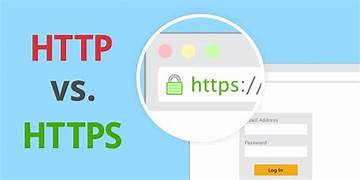
𝐇𝐓𝐓𝐏𝐒 (𝐇𝐲𝐩𝐞𝐫𝐭𝐞𝐱𝐭 𝐓𝐫𝐚𝐧𝐬𝐟𝐞𝐫 𝐏𝐫𝐨𝐭𝐨𝐜𝐨𝐥 𝐒𝐞𝐜𝐮𝐫𝐞) is an extension of HTTP that adds a layer of encryption and security to the communication between clients and servers.
Here's a overview of how it works:
1. 𝗦𝗦𝗟/𝗧𝗟𝗦 𝗛𝗮𝗻𝗱𝘀𝗵𝗮𝗸𝗲: 🤝 The process begins with an SSL/TLS (Secure Sockets Layer/Transport Layer Security) handshake, where the client and server establish a secure connection. This involves several steps:
The client sends a "ClientHello" message to the server, indicating supported cryptographic algorithms and other parameters.
The server responds with a "ServerHello" message, selecting a mutually supported cryptographic algorithm and providing its SSL certificate.
The client verifies the server's certificate to ensure it's valid and issued by a trusted Certificate Authority (CA).
If the verification is successful, the client generates a session key, encrypts it with the server's public key (from the certificate), and sends it to the server.
The server decrypts the session key using its private key, establishing a secure connection.
2. 𝗘𝗻𝗰𝗿𝘆𝗽𝘁𝗲𝗱 𝗗𝗮𝘁𝗮 𝗧𝗿𝗮𝗻𝘀𝗳𝗲𝗿: 🔒 Once the secure connection is established, data exchanged between the client and server is encrypted using symmetric encryption with the session key. This ensures confidentiality and integrity of the transmitted data.
3. 𝗛𝗧𝗧𝗣𝗦 𝗥𝗲𝗾𝘂𝗲𝘀𝘁𝘀 𝗮𝗻𝗱 𝗥𝗲𝘀𝗽𝗼𝗻𝘀𝗲𝘀: 🌐🔐 The client sends HTTPS requests to the server, just like with HTTP. However, the data transmitted over the network is encrypted, preventing eavesdropping or tampering by attackers.
4. 𝗦𝗦𝗟/𝗧𝗟𝗦 𝗧𝗲𝗿𝗺𝗶𝗻𝗮𝘁𝗶𝗼𝗻: 🛑 Upon receiving the encrypted data, the server decrypts it using the session key established during the handshake process. The server processes the request and sends the response back to the client over the secure connection.
5. 𝗖𝗼𝗻𝗻𝗲𝗰𝘁𝗶𝗼𝗻 𝗖𝗹𝗼𝘀𝘂𝗿𝗲: 🔒❌ Once the communication is complete, the SSL/TLS connection can be terminated. This may happen after a certain period of inactivity or when explicitly closed by either the client or server.
𝗛𝗧𝗧𝗣𝗦 provides end-to-end encryption, protecting sensitive information such as login credentials, financial transactions, and personal data exchanged between clients and servers. It's widely used for securing web browsing, online banking, e-commerce transactions, and other sensitive communications over the internet.
Conclusion:
𝗛𝗧𝗧𝗣 is a stateless protocol, meaning each request-response cycle is independent of previous ones. To maintain state across multiple requests, mechanisms like cookies or sessions are often used.
𝗛𝗧𝗧𝗣𝗦(HTTP Secure) provides encryption and authentication to secure data transmission over the web.
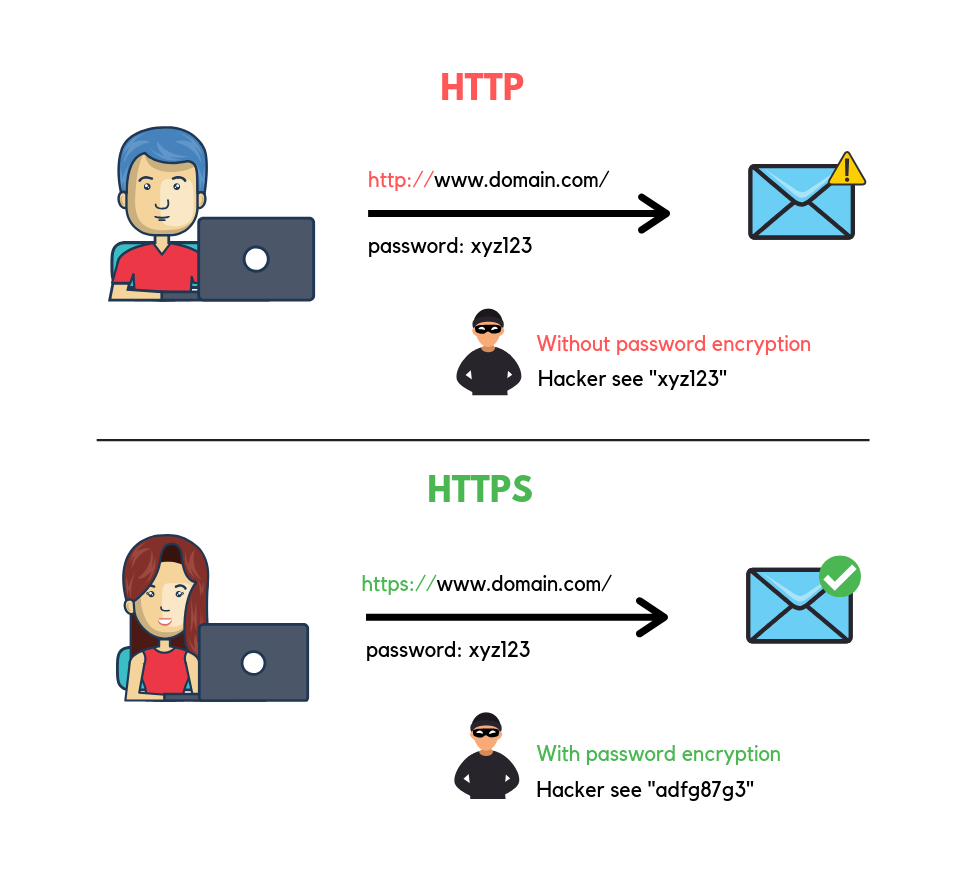
| HTTP (Hypertext Transfer Protocol) | HTTPS (Hypertext Transfer Protocol Secure) | |
| Protocol | HTTP is a protocol used for transmitting data between a web server and a web browser. | HTTPS is a secure version of HTTP that uses encryption to protect the data being transmitted. |
| Security | HTTP data is transmitted in plain text. | HTTPS provides encryption and data integrity, making it more secure than HTTP. |
| Port | Typically operates on port 80. | Typically operates on port 443. |
| Usage | Historically, HTTP has been widely used for transmitting web pages, images, and other content on the internet. | HTTPS is used to securely transmit sensitive information such as login credentials, payment details, and personal data. |
| Speed | HTTP is generally faster than HTTPS because it does not involve encryption and decryption processes. | |
| Trust | HTTP does not involve such authentication mechanisms. | HTTPS connections rely on digital certificates issued by trusted Certificate Authorities (CAs) to verify the authenticity of the server. |
| SEO | Google and other search engines prioritize HTTPS websites in search results to encourage web security. |


